What's New at Celestial Divide — Q3 2026
A complete estate administration workflow, Michigan court forms, a beneficiary portal, a Free plan, and a full quarter of divorce improvements — everything we shipped in Q3.
Q2 taught Celestial Divide about taxes. Q3 turned it into a complete estate administration platform. The fair division is still the heart of the product, but this quarter we built everything around it: a single workflow that carries an estate from the first inventory to the final distribution, a dashboard for anyone managing more than one estate, a portal designed for beneficiaries, Michigan court forms, and a Free plan that lets any executor get started with no credit card. Divorce matters got a full quarter of work too. Here's everything that shipped in Q3.
One Workflow, From Inventory to Final Distribution
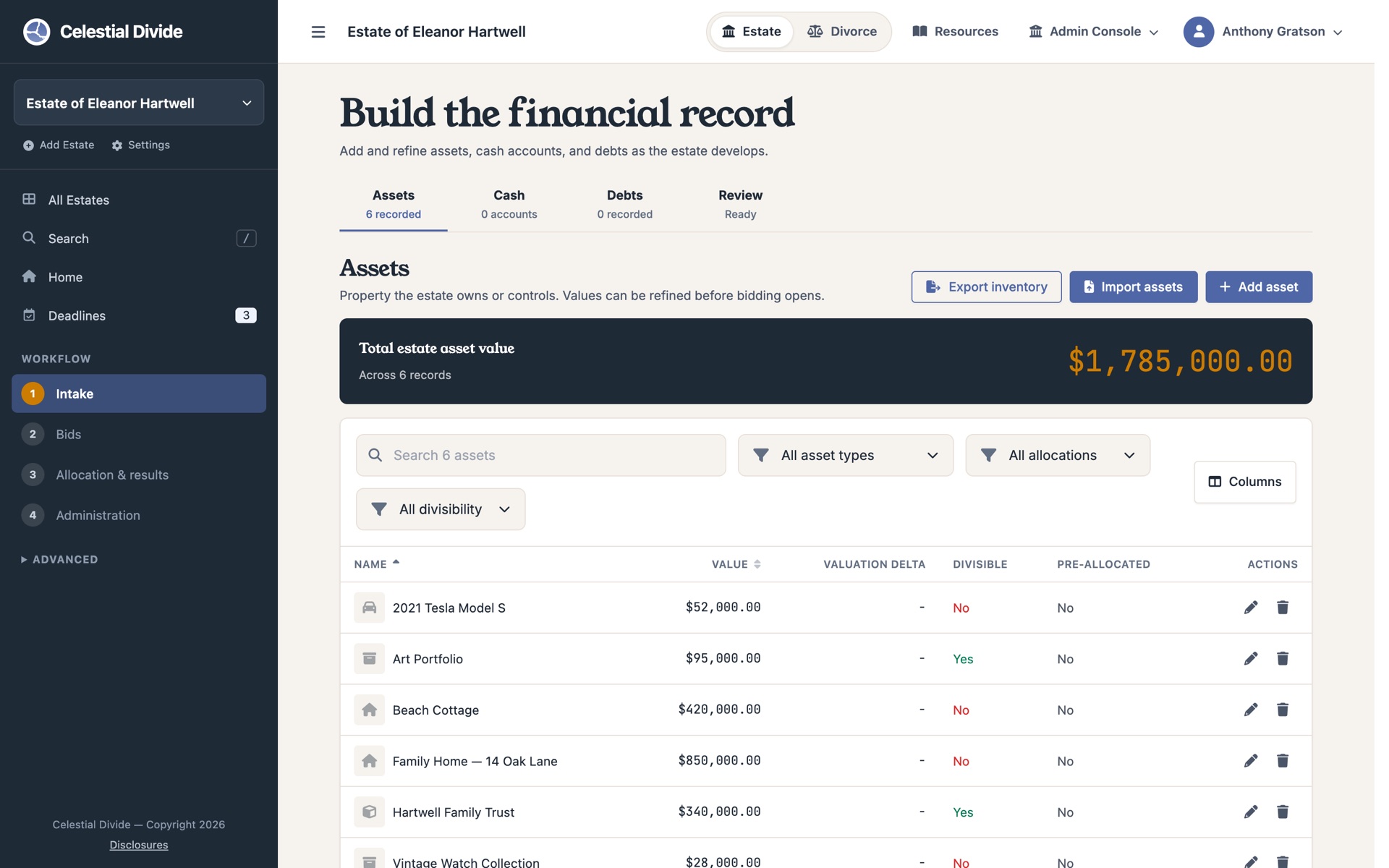
Settling an estate is a sequence, and the app now reflects it. Every estate moves through four stages: Intake, Valuations, Allocation, and Administration. The sidebar shows exactly where you are, what's done, and what comes next.
Intake is a single workspace with tabs for assets, cash, and debts, plus a Review ledger that totals everything into the net estate before anyone shares their preferences. Before the allocation runs, a new preflight screen lays out every input the solver will use (valuations, inheritance shares, debts, and the fairness rules in effect) and stops you if something is off, like shares that don't add up or valuations that went stale after an asset's value changed. When the run completes, you land on the results.
Administration: Carry Out the Plan, Not Just Compute It
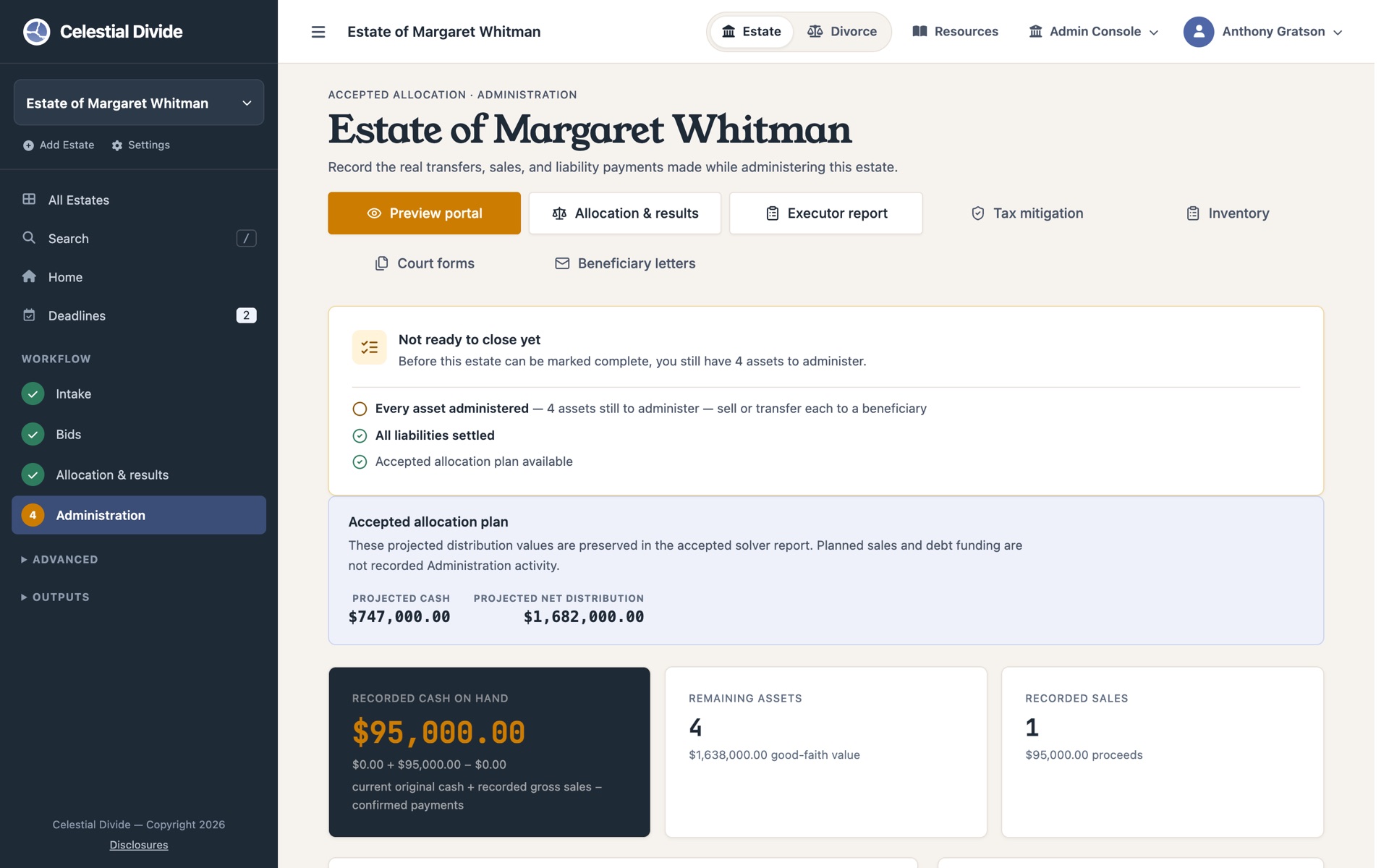
Until now, Celestial Divide told you who should receive what and then handed the rest back to you. The new Administration workspace closes that gap. As you work through the accepted allocation, you record each transfer to a beneficiary, each sale and its actual price, and each debt paid off, and the estate's cash position updates with every entry. Mistakes can be reversed, and everything is logged in an administration audit trail.
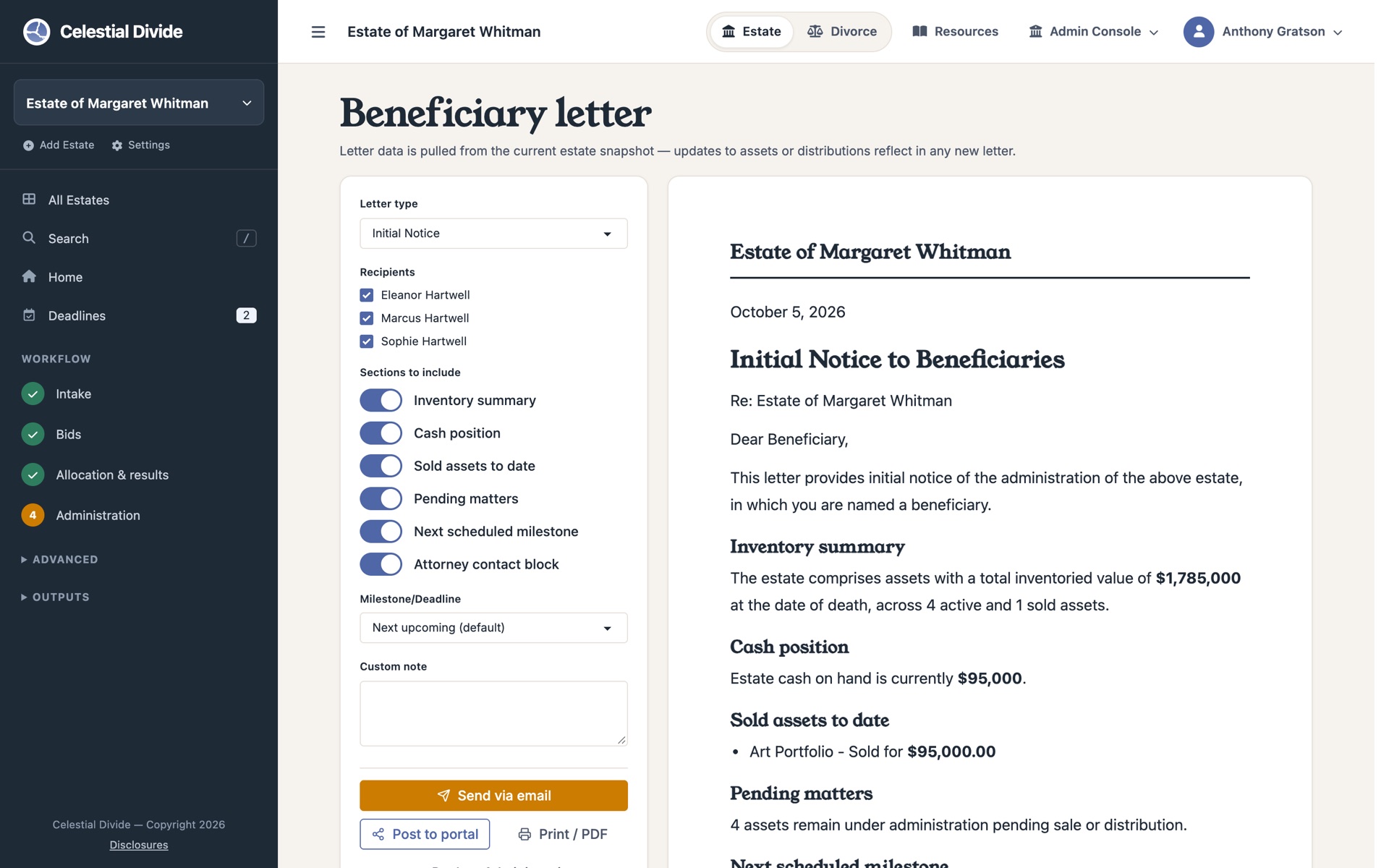
Two documents come straight out of that record. The Inventory document is a formal, printable schedule of every asset and account, reflecting the transfers and sales you've recorded. Beneficiary letters come in four forms: an initial notice, a status update, an interim distribution notice, and a final accounting summary. Each is composed from the estate's current data with a live preview, then emailed or published to the beneficiary's portal. Every letter is saved as a snapshot, so what you sent in March still reads the same in September.
Michigan Court Forms
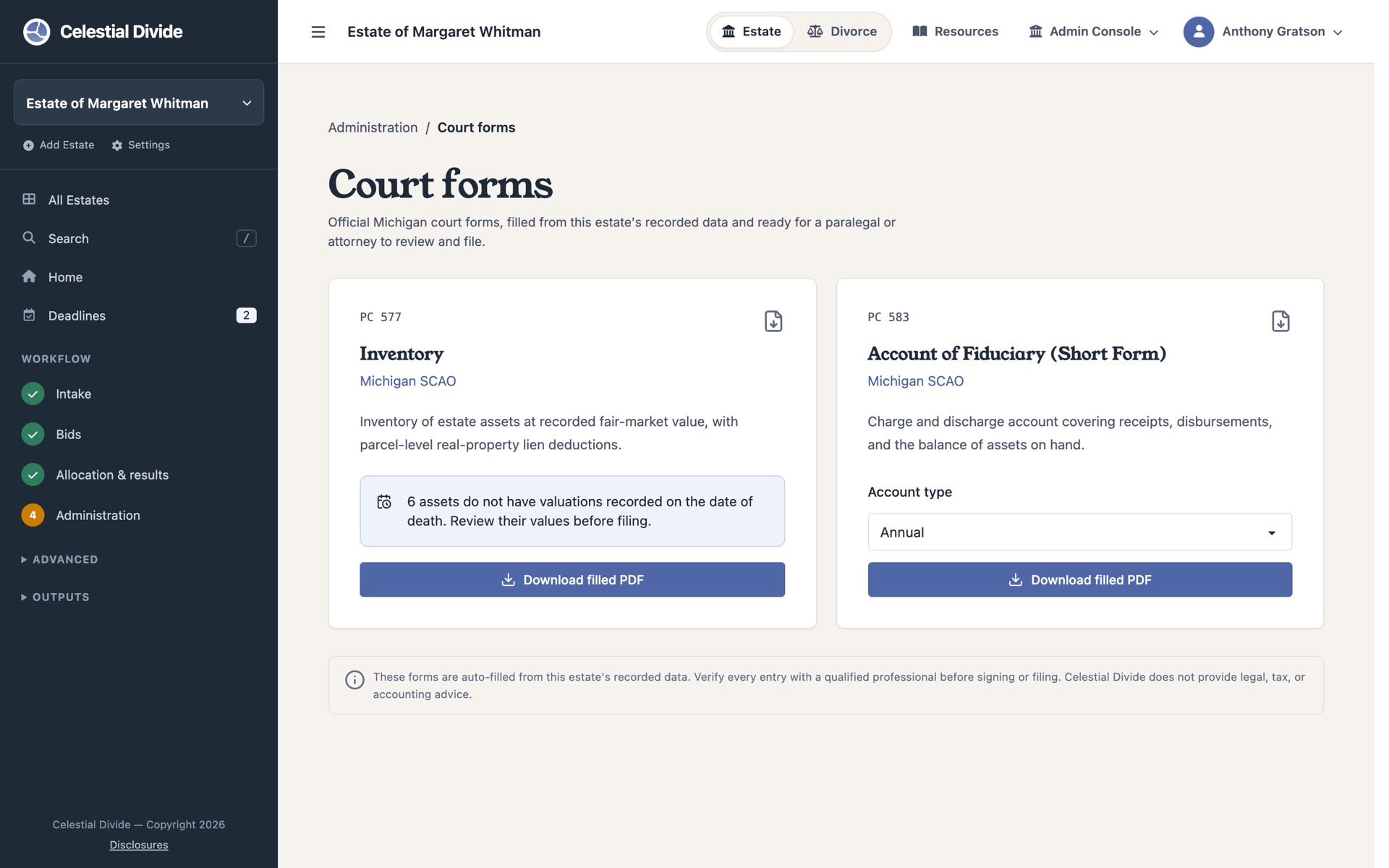
For estates in Michigan probate, the platform now generates the PC 577 Inventory (with its continuation schedule) and the PC 583 Account of Fiduciary directly from estate data, as editable PDFs ready for review and filing. The estate record also captures the details these forms depend on, right on the estate form: date of death, county, court reference, assigned judge, personal representative, and attorney bar number. Michigan is first; more states are on the way.
A Dashboard for Every Estate, and for All of Them
If you manage more than one estate, you now have one place to see all of them. The new Estates Dashboard shows every estate you can access, grouped by phase, with a recent-activity feed and every deadline that's overdue or due in the next sixty days. From there, a command-style search jumps to any estate, asset, or beneficiary without going back to the list. Press / from anywhere to open it.
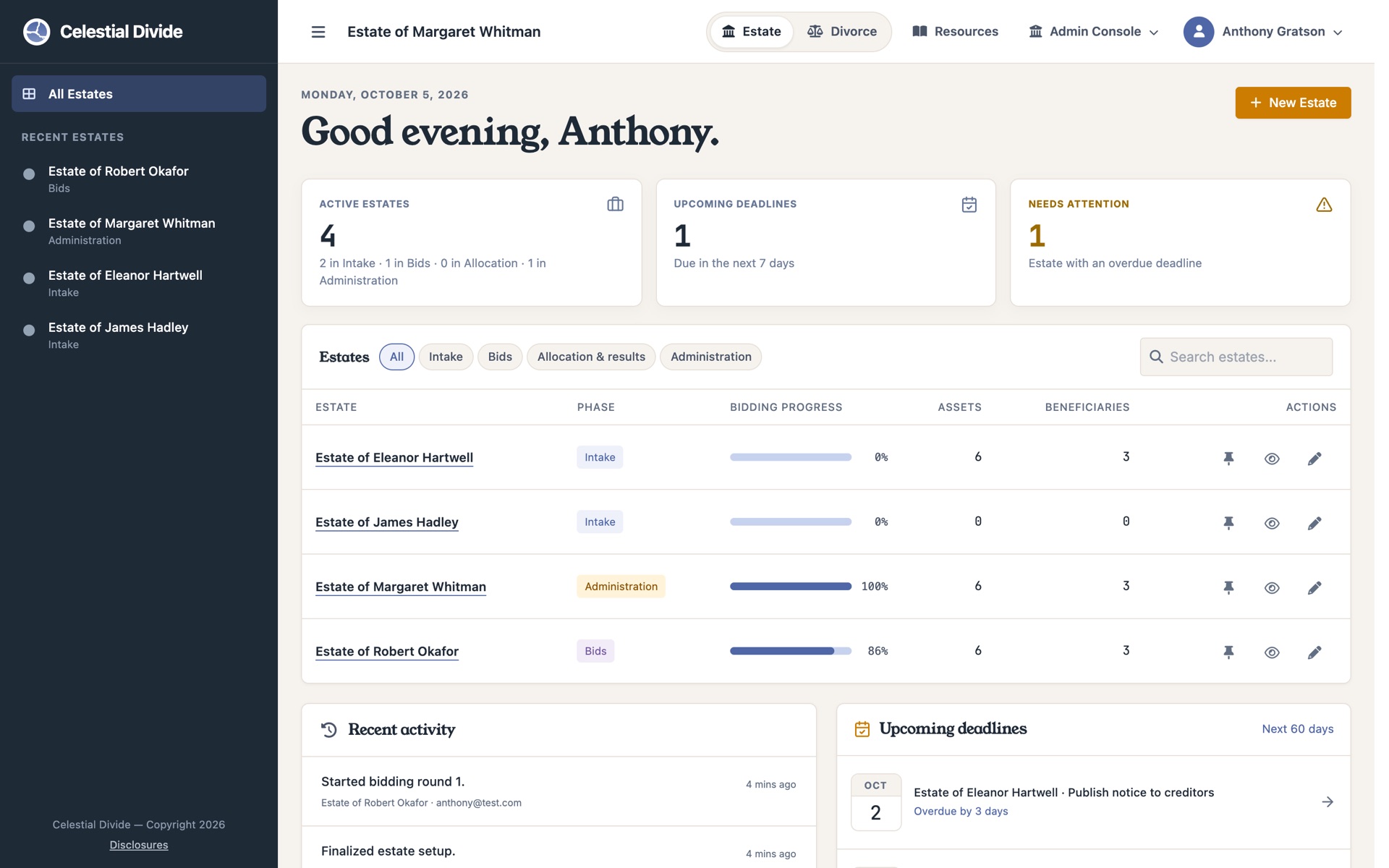
Each individual estate also has a redesigned home that changes with its phase. During setup, it's a guided checklist for building the record. While valuations are open, it shows round progress and who's finished. After the run, it shows the allocation summary. During Administration, it tracks distribution progress for each beneficiary. The onboarding tour has been rebuilt to walk new users through this flow on a practice estate.
Deadlines You Won't Miss
Probate runs on dates: creditor notice periods, inventory filings, accountings. Every estate now has a deadline workspace where you can add, edit, and complete deadlines, sorted into upcoming, overdue, and completed. Open deadline counts appear in the estate navigation, and the overdue ones surface on the dashboard where you'll actually see them.
A Portal Built for Beneficiaries
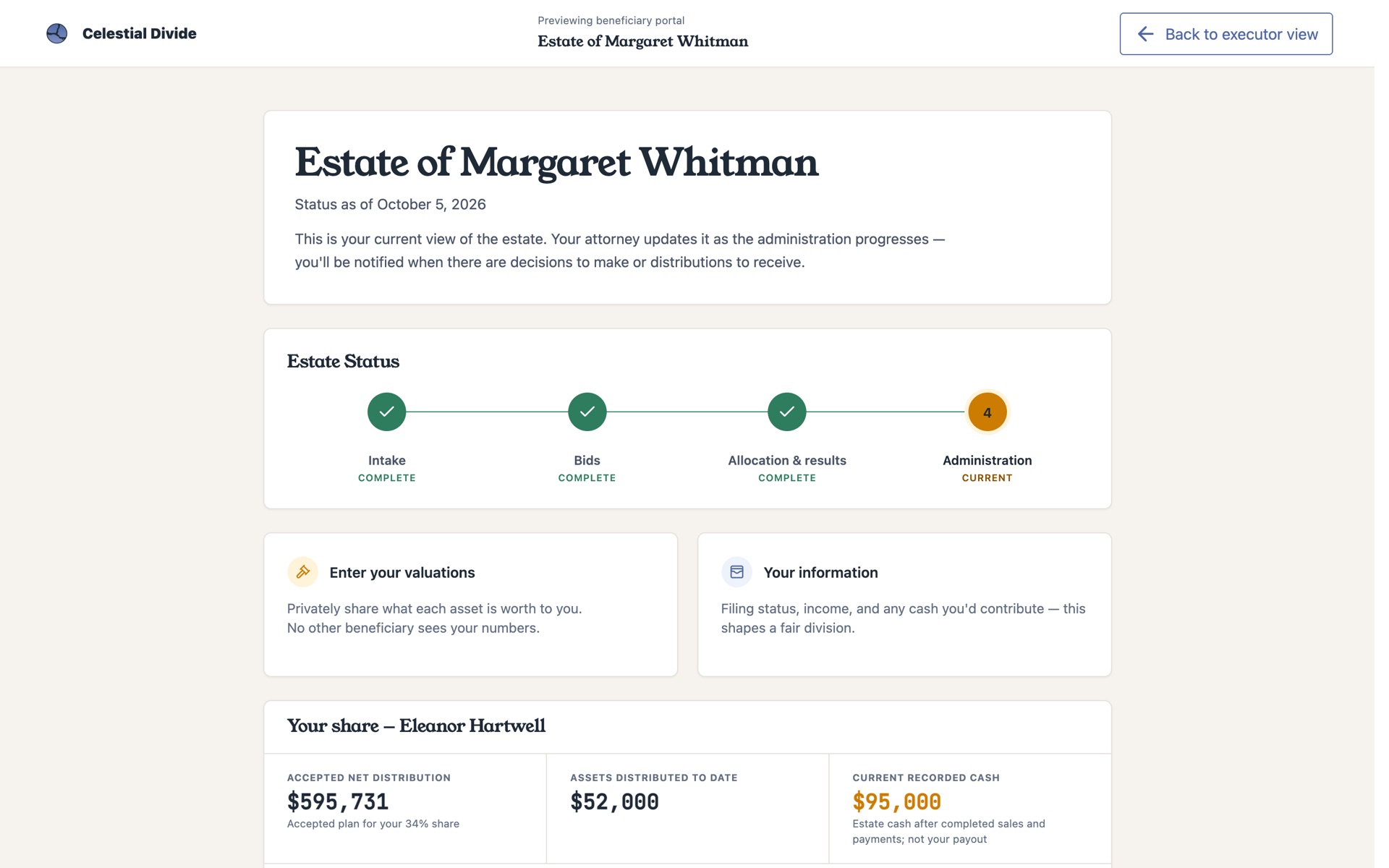
Beneficiaries have never needed the executor's tools, so they no longer see them. Beneficiary-only users now get a dedicated portal: their private valuations, their personal information, the estate's current status, letters from the personal representative, and, once Administration begins, a running view of what they're expected to receive and what has already been distributed. Administrators can preview the portal exactly as a beneficiary sees it.
Free to Start, and Simpler Pricing
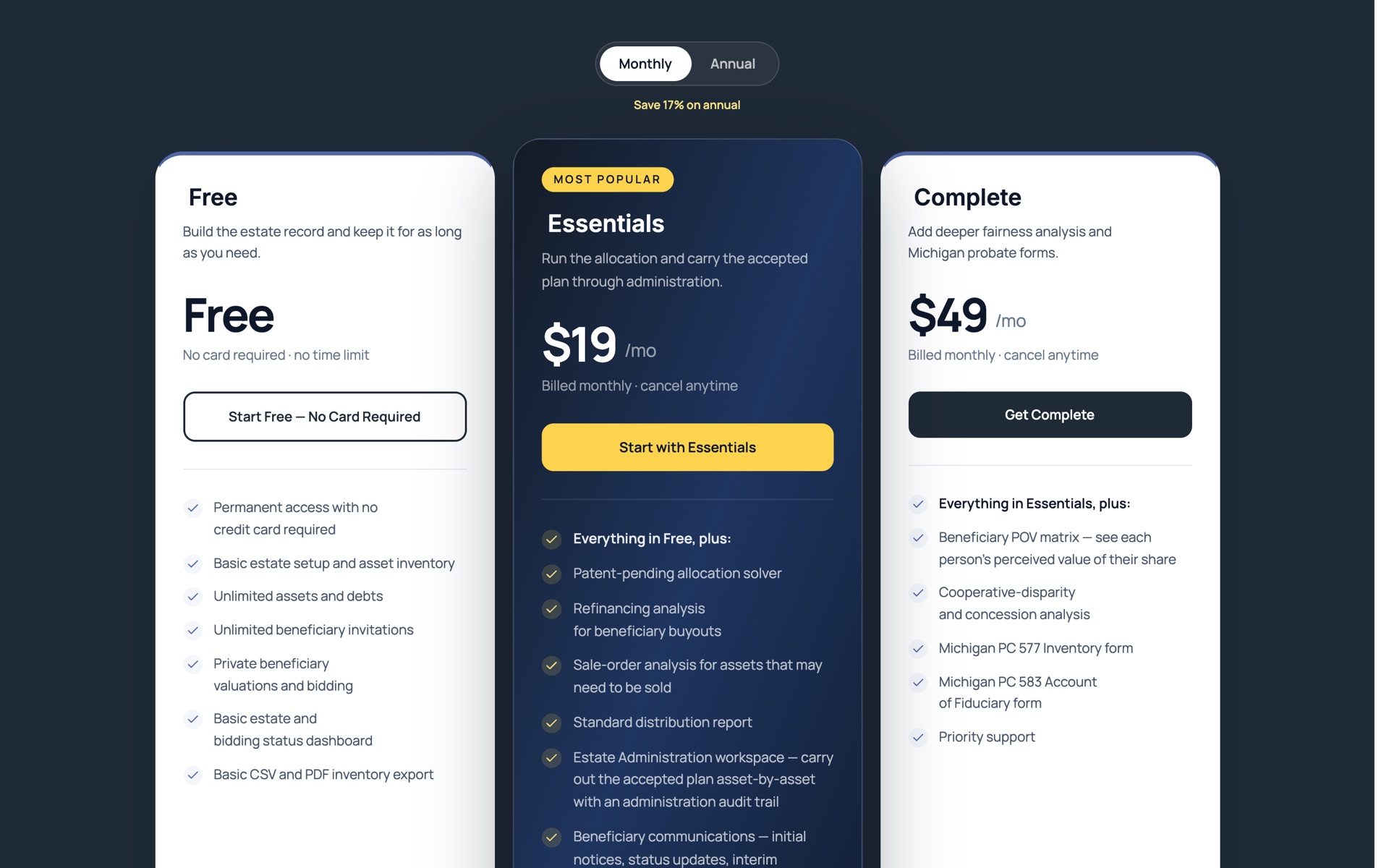
We replaced the 14-day trial with a Free plan that doesn't expire. Build the estate, add unlimited assets and debts, invite every beneficiary, collect private valuations, and export a CSV or PDF inventory, with no credit card and no time limit. You pay only when you're ready for the answer.
Essentials ($19/month or $189/year) unlocks the allocation solver, the standard distribution report, the Administration workspace, beneficiary letters, and deadline tracking. Complete ($49/month or $489/year) adds the beneficiary point-of-view matrix, concession analysis, and the Michigan court forms. For attorneys, trust officers, and mediators, Solo, Practice, and Firm plans share one allowance across open estates and divorce matters, and the executors, beneficiaries, and parties you invite are always free.
Faster on Large Estates
Estates with hundreds of assets used to make the solver work for its answer. A 450-asset test estate that previously spent more than ten minutes proving its result was perfect now finishes in under two seconds, within a tenth of a percent of the best possible allocation. We also cut the number of database round-trips the solver makes by roughly three-quarters, regardless of estate size.
The valuations page was rebuilt for the same reason. Instead of loading every asset into one enormous table, it now pages through the inventory, opens one asset's editor at a time, and offers search and status filters so a beneficiary can find what's left to review. Asset photos appear as thumbnails throughout, and asset details open in a side panel instead of a modal.
Clearer Reports
The tax mitigation report was redesigned around the questions an executor actually asks: how much after-tax value did the optimized allocation add, how does each heir's result compare with a neutral share, and which assumptions were applied. Summary cards, a before-and-after chart, and a concise allocation table replace the old expandable tables, and a dedicated printable version is built from the saved report. Executors can also export the final allocation to CSV, and cash a beneficiary brings to the table is now shown as a contribution rather than counted as value they received.
Divorce: The Full Fairness Engine
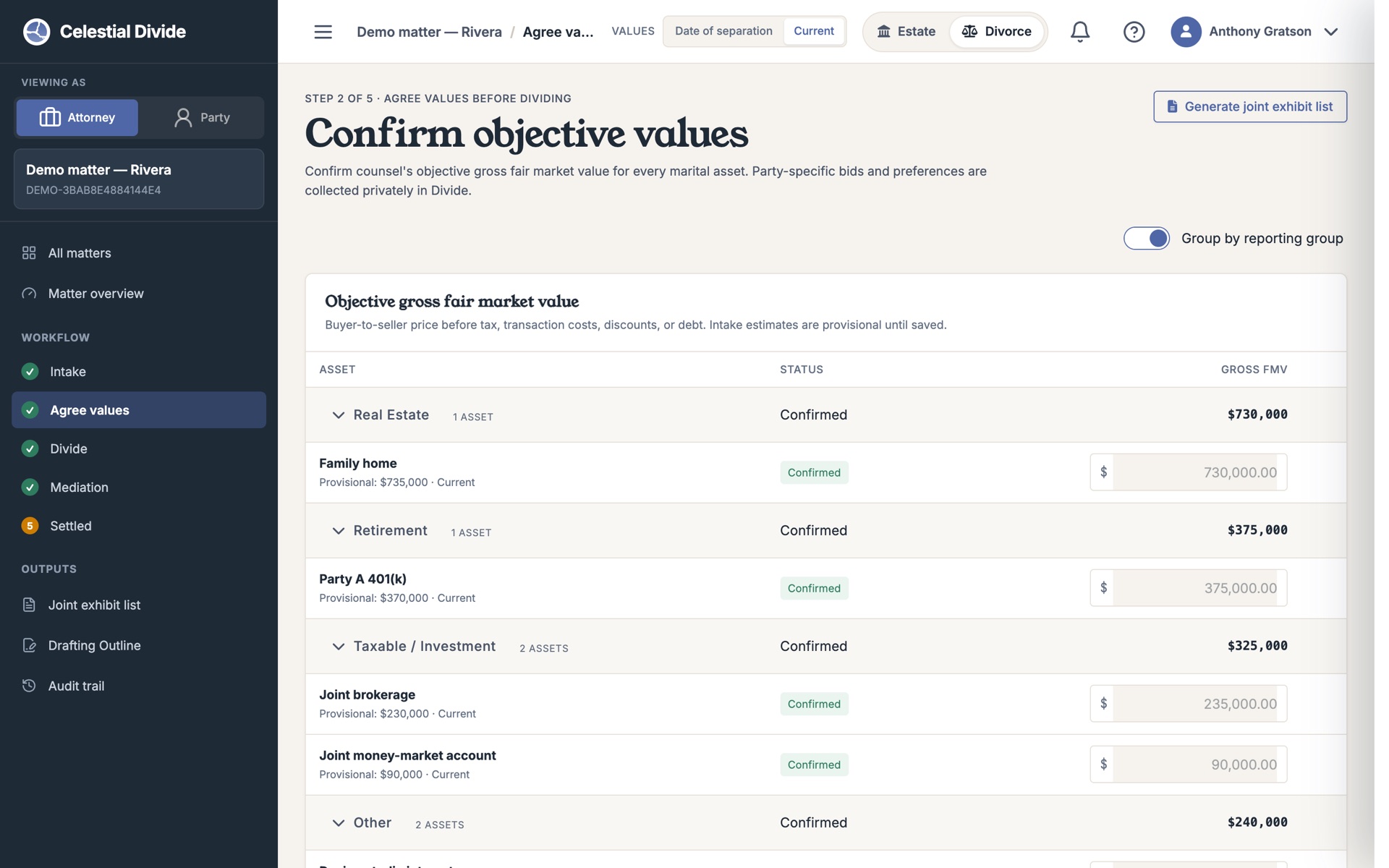
The divorce workflow now runs on the same solver that powers estates, adapted for two parties and spousal support. Along the way we made the division process clearer about who decides what: counsel confirms the fair-market value of each asset in the Agree step, while each party's private preferences stay private in Divide. Mediators get precise percentage controls for splitting divisible assets, and when counsel needs to adjust the solver's recommendation by hand, the original stays intact alongside an adjusted allocation with its own audit history.
The outputs are finished too: an Allocation Report, a Joint Exhibit List, and a drafting outline for the settlement agreement that gives counsel the facts without pretending to be the agreement itself. Settled matters can be formally closed, and reopened if circumstances change.
Divorce: Intake Your Clients Can Do Themselves
Parties can now complete a guided financial intake on their own, saving estimates, marking what they don't know, and resuming later, and submit independently of each other. The practitioner then reconciles both submissions into the official schedule: accept, combine, match to an existing item, reject, or request a follow-up, with every source attributed.
The numbers behind the schedule got more honest, too. Secured debts are visibly linked to the assets they encumber. Selling costs can be set per matter or per property. Retirement assets can carry a negotiated adjustment with a recorded reason — a $1,000,000 account at a 25% adjustment shows a $750,000 effective value while keeping its face value — and Roth accounts are correctly treated as post-tax. New users can explore all of this in a guided tour built on a worked sample matter, and attorneys can now run one case free, self-serve.
Built for Firms: Staff, Collaborators, and an API
Firms can invite staff once at the organization level and have that access apply across every current and future estate and matter. Mediators, co-counsel, and opposing counsel can be invited as external collaborators with access scoped to a single matter and no visibility into private party data. And estates and divorce matters now share one organization subscription.
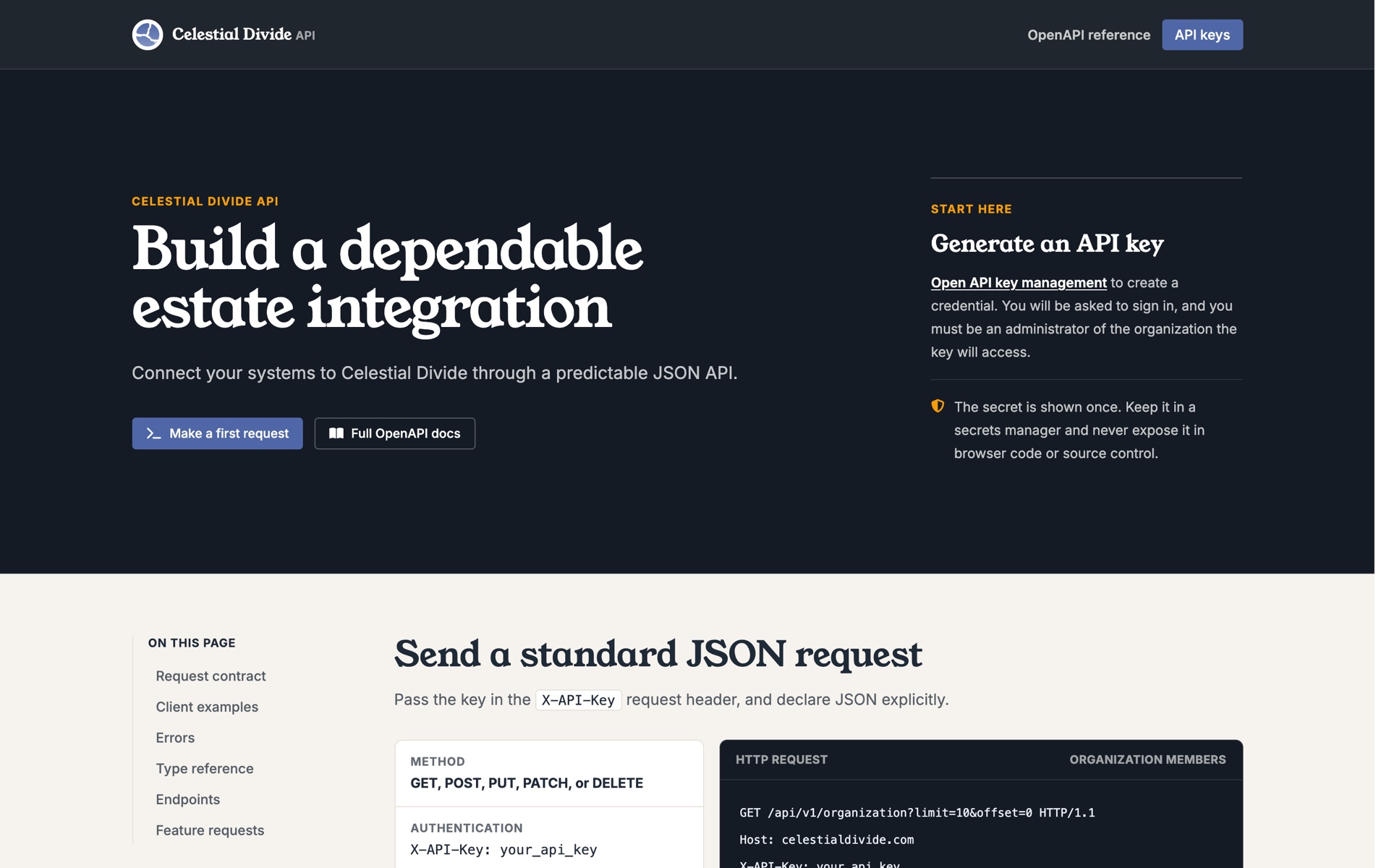
Last quarter we said the API was coming. It's here: a complete REST API for estates, assets, beneficiaries, cash, debts, invitations, and valuation rounds, with organization-level key management built into the app and a public integration guide at /api/docs/.
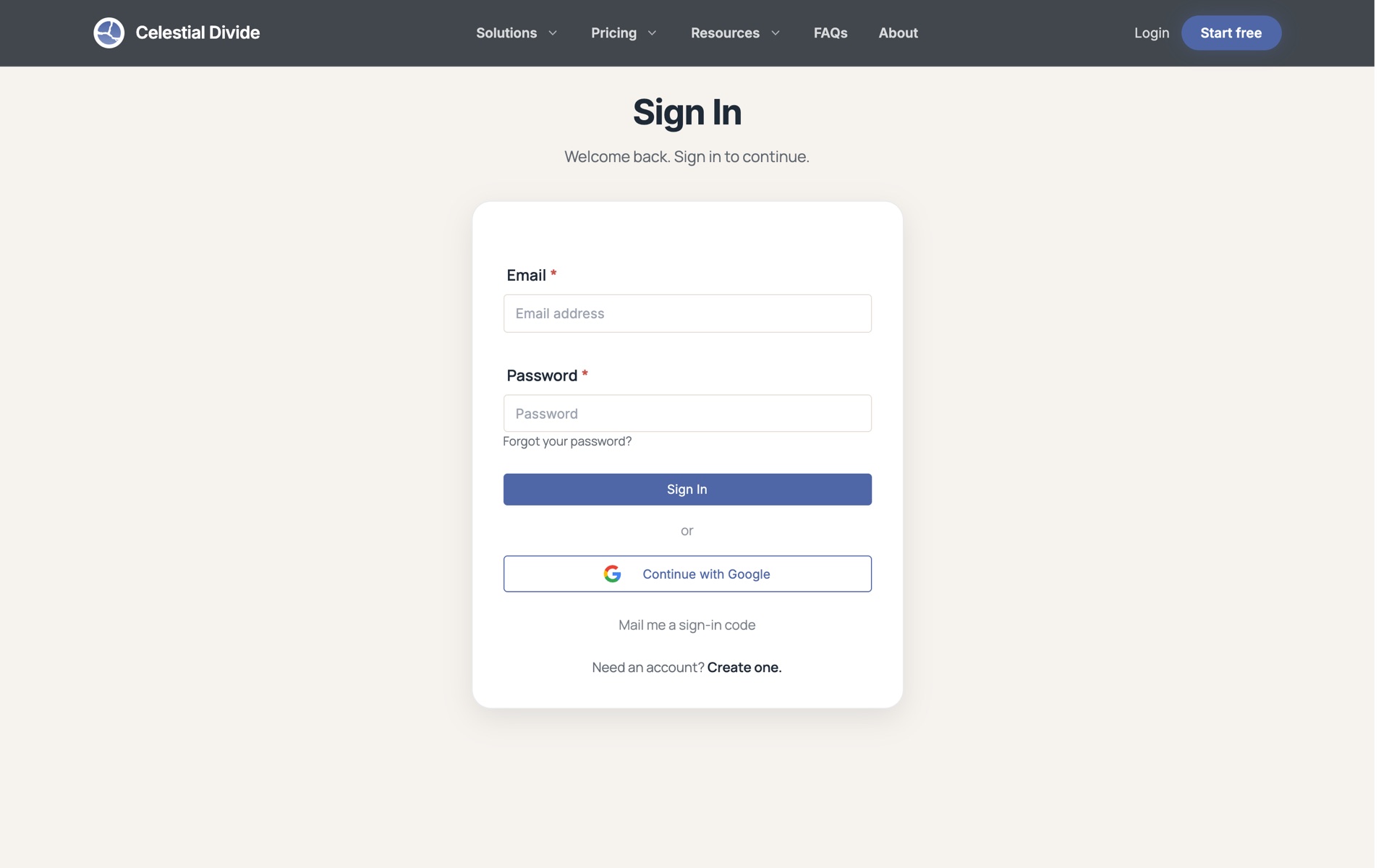
Sign In With Google
One less password to manage. You can now create a Celestial Divide account or sign in with your Google account. No username, no email verification, no password to remember. If you were invited to an estate or a divorce matter, signing in with the same Google email takes you straight to it. Existing accounts can link Google for next time.
A Consistent Look Across the Platform
The estate app now shares the design system we introduced with divorce, so a firm working in both feels like it's using one product. Navigation, account controls, and product switching behave the same everywhere, every workflow holds up on a phone, and currency fields accept comma-formatted numbers the way you'd naturally type them.
New in the Resource Library
We published an Executor & Trustee Estate Settlement Checklist for all fifty states, a free Estate Split Calculator that scores how complex a division will be, and comparison guides for families weighing their options. You'll find them all in the Resources library.